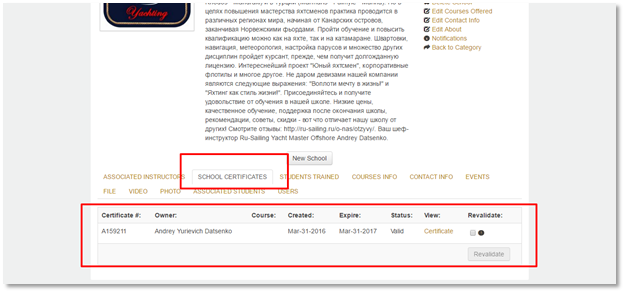
Schools membership should be revalidated/renewed from School
profile as shown in below image.
- To
revalidate your Annual School Membership the school owner must log in to their profile at https://iytnet.com
- Go
to IYT TRAINING and then IYT TRAINING PROVIDERS
- Search
your school name in the search toolbar on the right-hand side of the screen.
- Click
on your school name.
This will open your school membership page where you may also update your school contact information, etc. - Click
on the SCHOOL CERTIFICATES tab. Here you will be able to click REVALIDATE on your school membership.
- Then
follow the prompts as you would when creating a regular order.
- An invoice/order will be created and we will produce a new School Certificate.